


You just used AI to generate your API integration code, tested it locally, and deployed it to production because it seemingly worked perfectly. Two hours later, your logs are filled with parsing failures and users cannot complete actions because “Invalid JSON” errors are popping up everywhere. The AI gave you working code, but the problem is that it only worked in your controlled test environment with your specific input.
It happened to me so many times I lost count, so I’m going to share one of the best ways to get your AI to generate valid json, every single time.
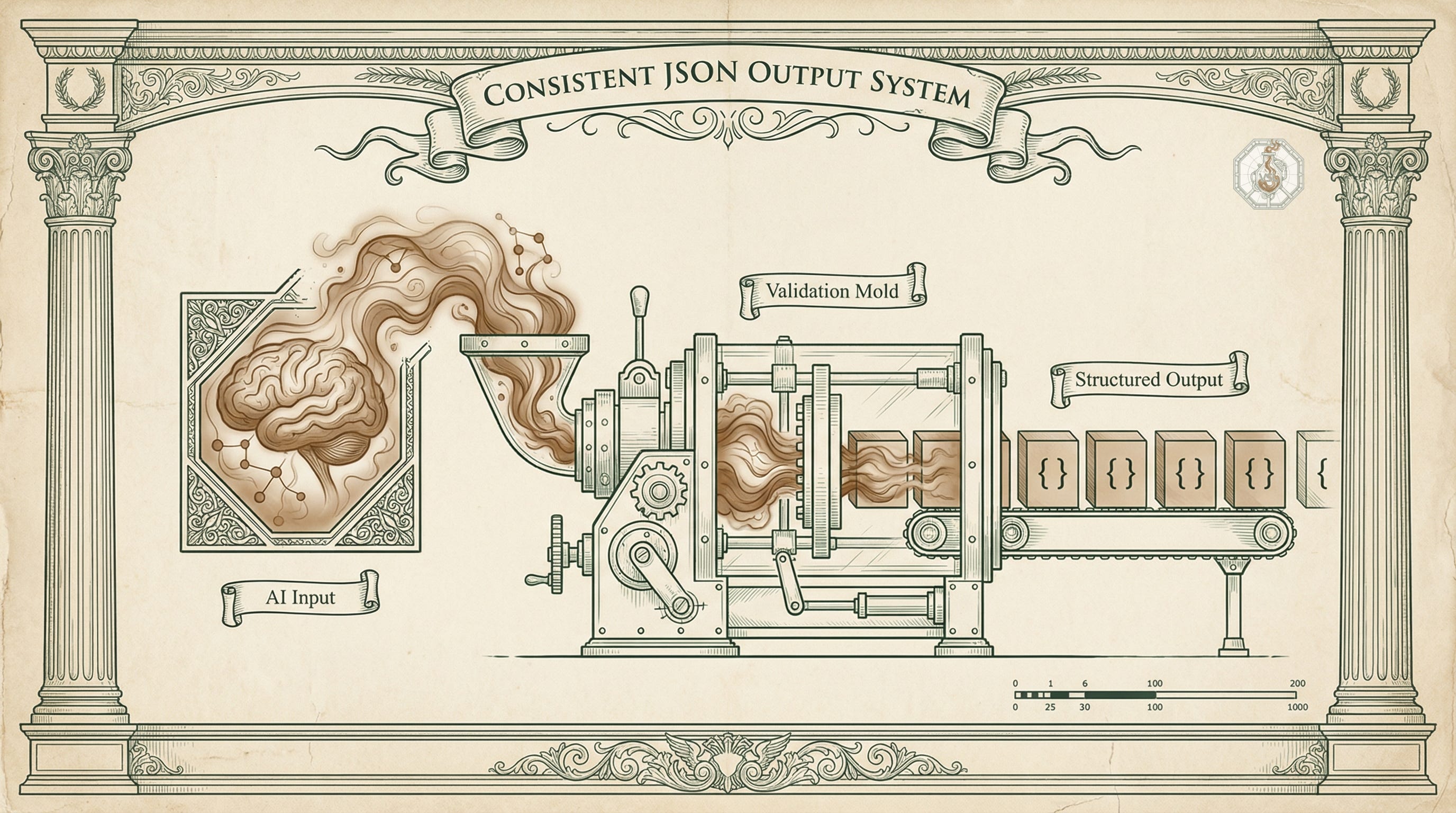
Bad JSON Means High Costs
When you are building features that depend on structured data like API integrations, database operations, or configuration files, JSON consistency directly determines whether your app works or breaks. A single malformed response can quickly cascade into hundreds of failed user actions, corrupt database writes, and support tickets flooding your inbox.
While AI generates JSON that looks correct during development, production environments expose inconsistencies like missing commas, trailing commas in strict parsers, unescaped quotes in user-generated content, and Unicode characters from international users. These small formatting errors crash entire features, so you need AI to output valid and production-ready JSON consistently instead of just succeeding in your local tests.


Airport Security Model
Airport security examines your documents multiple times at check-in, security, and the gate because mistakes are expensive to fix later. JSON validation works the same way because AI generates structurally sound JSON in controlled conditions but often breaks under real-world variance. That’s why you need to build multiple validation checkpoints to catch these errors.
Most builders stop at the prompt, but production-ready apps require five distinct checkpoints to ensure reliability.
Most Common Ways AI Breaks Your Data
Syntax Errors: Missing or extra commas, brackets, or quotes break JSON.parse() immediately on your server. For example, AI often adds a trailing comma after the last object property or forgets to close a nested object properly. While some lenient parsers might handle this, standard Node.js or Python backends will throw an exception and crash the request before your logic even runs.
Escaped Character Traps: One of the most insidious errors occurs when AI double-escapes characters inside the JSON string itself (e.g., returning \\\\” instead of \\”). This technically creates a valid string but invalid JSON content for your parser, causing it to fail when processing fields that contain quotes, backslashes, or special characters.
Structure Mismatch: This happens when you get valid JSON in the wrong shape, such as receiving {”title”: “My Article”} when you actually need {”article”: {”title”: “My Article”}}. Your backend code expects nested objects but receives flat structures, which causes undefined property errors that can take down your entire API endpoint.
Type Confusion: AI sometimes returns strings when you need numbers or arrays when you need objects. This results in valid JSON with broken logic. An example is when a count field comes back as “25” (string) instead of 25 (number), which breaks database schema validation and any math operations you perform on that data.
Truncated Responses: When you request a large dataset, some models will hit their output token limit and cut off the JSON mid-stream (e.g., ending with ... or just stopping). This leaves you with an incomplete, unparsable string. The reliable fix is to request data in smaller chunks—generating multiple subsets and concatenating the results in your code rather than asking for one massive payload.
The 5-Checkpoint Framework for Bulletproof JSON

1. Be Explicit in Your Prompt
Don’t say: “Return the SEO data as JSON”
Say: “Return ONLY valid JSON with no additional text. Use this exact structure: {”title”: string, “description”: string}“


2. Provide a JSON Schema
The most reliable way to get consistent JSON structure is to give AI an exact schema to follow.
JSON Schema defines the structure, types, and requirements for your data. Instead of describing what you want in natural language, you provide a formal specification that eliminates ambiguity.
Add this to your prompt:
“Return JSON matching this exact schema. Do not add any fields not in the schema. All required fields must be present:
{
  “type”: “object”,
  “properties”: {
    “title”: {
      “type”: “string”,
      “maxLength”: 70,
      “description”: “An engaging, SEO-friendly article title”
    },
    “description”: {
      “type”: “string”,
      “maxLength”: 160,
      “description”: “A concise summary of the article content”
    }
  },
  “required”: [
    “title”,
    “description”
  ],
  “additionalProperties”: false
}
Why this works: Schemas eliminate type confusion and structure mismatch because the model validates its output against the schema pattern during generation. The additionalProperties: false flag is particularly powerful because it strictly forbids the AI from hallucinating extra fields you didn’t ask for. This catches errors before they reach your code. Learn more about schema properties at the OpenAPI Schema specification.
3. Request Code Fences
Add to your prompt: “Wrap the JSON in markdown code fences with json syntax highlighting”
This prevents AI from adding explanatory text before or after the JSON because extra text breaks parsing when you extract the response.
4. Validate Before Using
Never assume AI output is valid. Always wrap in try-catch:
try {
  const data = JSON.parse(aiResponse);
  *// Use data here*
} catch (error) {
  console.error(’Invalid JSON from AI:’, error);
  *// Handle the error gracefully*
}
5. Check Structure After Parsing
Valid JSON doesn’t guarantee correct structure:
function validateSeoData(data) {
  if (!data.title) return false;
  if (typeof data.title !== ‘string’) return false;
  if (typeof data.description !== ‘string’) return false;
  return true;
}

Red Flags and What to Watch For
🚩 AI adds explanation text before or after JSON: This breaks parsing. AI models are trained to be conversational and often add context before JSON blocks, so you must always request “ONLY valid JSON, no additional text.”
🚩 Nested objects are inconsistent: AI formats the first object correctly but makes errors in deeply nested structures. The model’s attention weakens as JSON depth increases, which leads to malformed brackets and missing commas three or four levels deep.
🚩 Numbers as strings: AI often wraps numbers in quotes because it sees numbers as text tokens rather than numeric types. You need to be explicit that “count should be a number, not a string.”
🚩 Double-escaped characters in strings: AI returns \\\\” instead of \\” for quotes inside strings because the model treats escape sequences as text patterns rather than functional syntax.
Watch Out For Escaped Character
One of the most frustrating JSON issues occurs when AI returns responses with escaped characters inside the JSON itself.
Example of what goes wrong:
What you expect:
{”title”: “The \\”Best\\” Guide”}What AI sometimes returns:
{”title”: “The \\\\\\”Best\\\\\\” Guide”}
The AI double-escapes quotes, backslashes, and special characters. When you parse this JSON, you get literal backslash characters in your strings instead of properly escaped quotes. This breaks things when you try to display the data to users or pass it to other systems that expect clean strings.
How to prevent it:
Add to your prompt: “Use proper JSON escaping. Quotes inside strings should use single backslash escape (”), not double backslash (\”).”
Hidden Edge Cases
Trailing commas: AI adds commas after the last item in objects or arrays. Strict JSON parsers reject this immediately even though JavaScript often accepts it, so this breaks in production environments using different parsers.
Unescaped special characters: If your data contains quotes or backslashes, AI often forgets to escape them. A title like “O’Brien’s Guide” will break your JSON when AI returns “title”: “O’Brien’s Guide” instead of “title”: “O\\’Brien’s Guide” if your parser is strict about apostrophes.
Inconsistent null handling: AI randomly switches between null, “null”, empty string, or omitting the field entirely. Your application logic assumes one pattern but receives variations, which causes conditional checks to fail unpredictably.
My Production Safety Net
You have likely spent an hour debugging a critical failure only to discover the culprit was a single missing comma. In production, that one missing comma is not just a syntax error. It represents hundreds of failed user requests and corrupted data that piled up before you even noticed the issue.
Here’s the technique that changed everything for me:
Use jsonrepair to automatically fix malformed JSON.
import { jsonrepair } from ‘jsonrepair’;

try {
  *// Try parsing normally first*
  const data = JSON.parse(aiResponse);
} catch (error) {
  *// If parsing fails, attempt repair*
  try {
    const repairedJson = jsonrepair(aiResponse);
    const data = JSON.parse(repairedJson);
    console.log(’JSON repaired successfully’);
  } catch (repairError) {
    console.error(’Could not repair JSON:’, repairError);
    *// Handle the error*
  }
}
The jsonrepair library automatically fixes common JSON formatting issues like adding missing commas, removing trailing commas, fixing unescaped quotes, and repairing truncated JSON.
Think of it as insurance. You hope you never need it, but when production breaks at 2 AM, you will be grateful it is there. And don’t ask me how I know that…
Tool of the Week: Zod
Zod - TypeScript-first schema validation
Once you have valid JSON from AI, you still need to validate that the structure matches what your app expects. Zod lets you define schemas and validate data in one line. TypeScript validates types at compile time, while Zod validates data at runtime.
Example:
import { z } from ‘zod’;

const SeoSchema = z.object({
  title: z.string().max(70),
  description: z.string().max(160)
});

*// Validate AI output*
const result = SeoSchema.safeParse(aiData);
if (!result.success) {
  console.error(’Invalid structure:’, result.error);
}
It catches structure mismatches and type confusion instantly, so pairing it with jsonrepair gives you bulletproof AI output handling.

Related Articles


Final Thoughts
Valid JSON is boring until it breaks production at the worst possible time. Build the checkpoints now and thank yourself later.
Let’s Connect: What’s your strategy for handling AI-generated structured data? Do you validate everything, or trust AI until it breaks? Reply and tell me about the weirdest JSON error you’ve debugged.
I played around with JSON inputs, but not as much as I should I think. This checkpoint system is amazing! Thank you Dan for great work.
Some really useful tips here for working with JSON (which we need to, most of the time while building agentic systems or tools). A well-written guide that I have bookmarked!